Release Notes (Change Log)
We do not publish release notes for Eggplant Studio in the same format that we do for other Eggplant products.
Eggplant Studio is a Visual Studio Code (VS Code) extension and, for that reason, we publish the product updates we make to its Change Log, which is part of the extension. We do this instead of publishing Release Notes like we do for the other Eggplant products because it is standard practice for VS Code extensions. You can see the Change Log online on Eggplant Studio's page in VS Code Marketplace , but the easiest way to way is to check Eggplant Studio's extension page inside VS Code locally on your computer as described below.
Accessing the Change Log in Local Installations
If you installed the Eggplant Studio extension in VS Code on your desktop, or if you are running it in a Coder workspace, you can access the extension's Change Log by following these steps:
-
Choose File > Preferences > Extensions in VS Code. The list of installed extensions, including Eggplant Studio, displays in your VS Code Primary Side Bar as shown below. Note that the installed extensions you see in your list depends on the extensions you have installed, and likely differs from what you see in the sample screen.
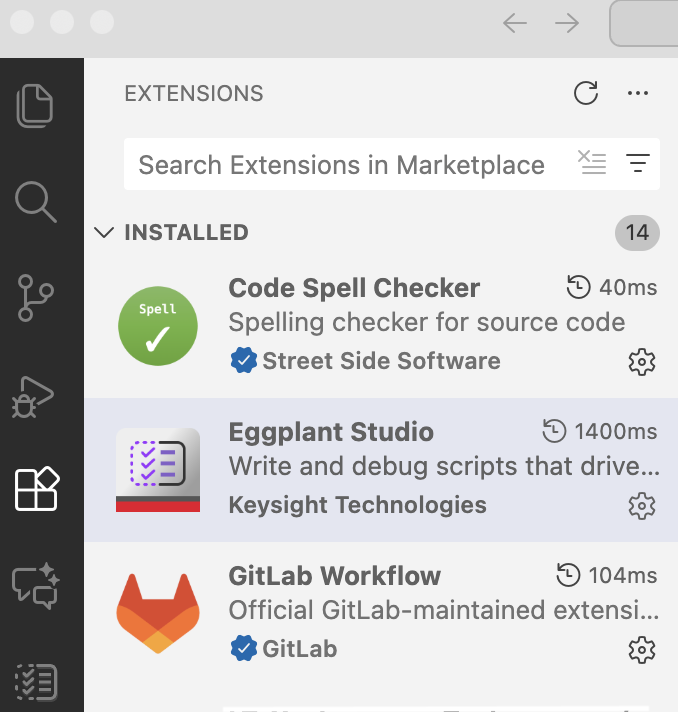
The Eggplant Studio extension in the list of installed Extensions in VS Code
-
Click Eggplant Studio. The Eggplant Studio page opens with the DETAILS tab, which includes a brief description of Eggplant Studio and a Table of Contents, in focus. To the right of the DETAILS tab, you can see the other two tabs: FEATURES and CHANGELOG.
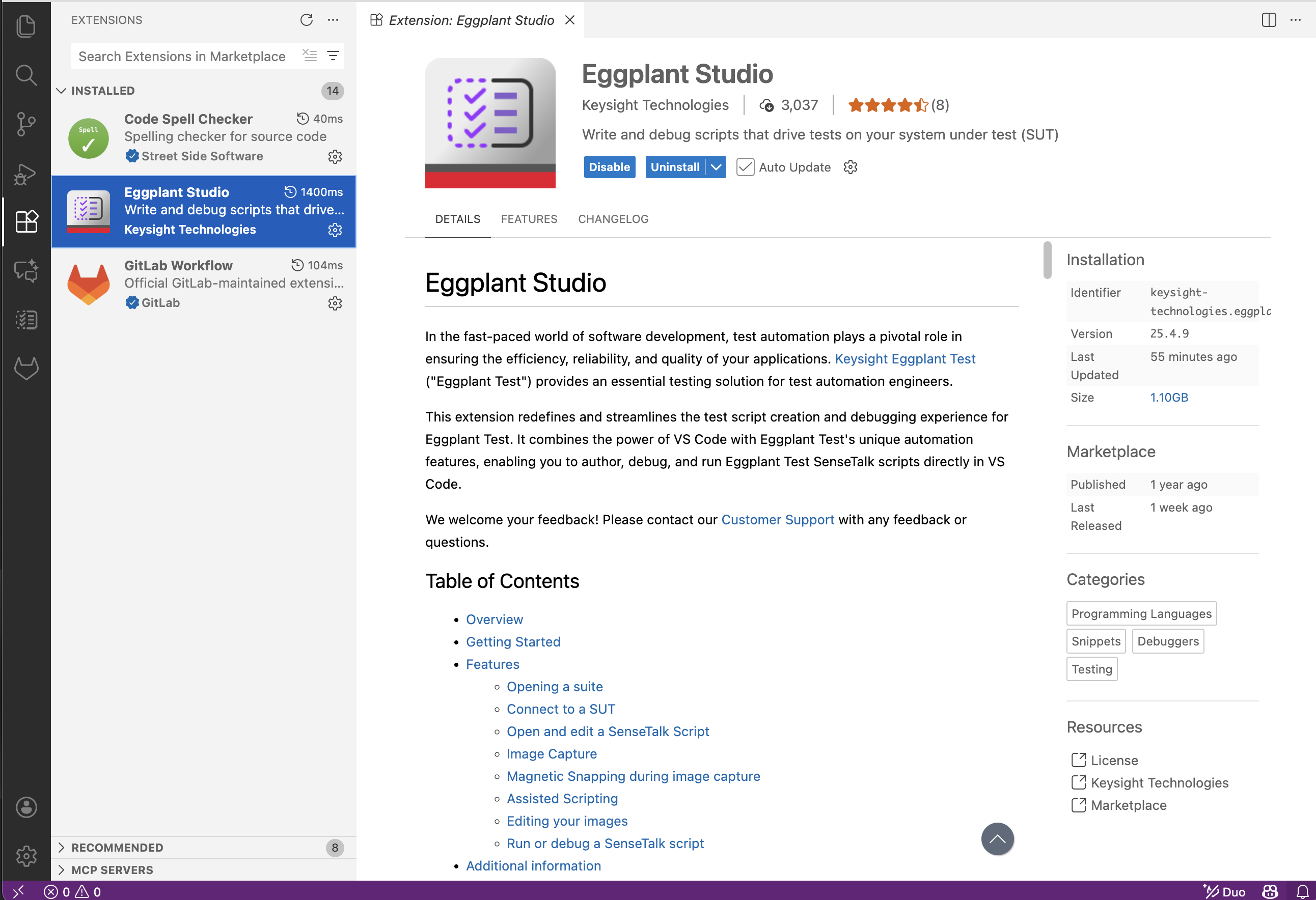
The Eggplant Studio extension page open in the VS Code Editor
-
Click the CHANGELOG tab to display it. It contains the list of updates made in the released versions of Eggplant Studio. Note that the screen below is just an example. You will likely see later updates when you display the change log.
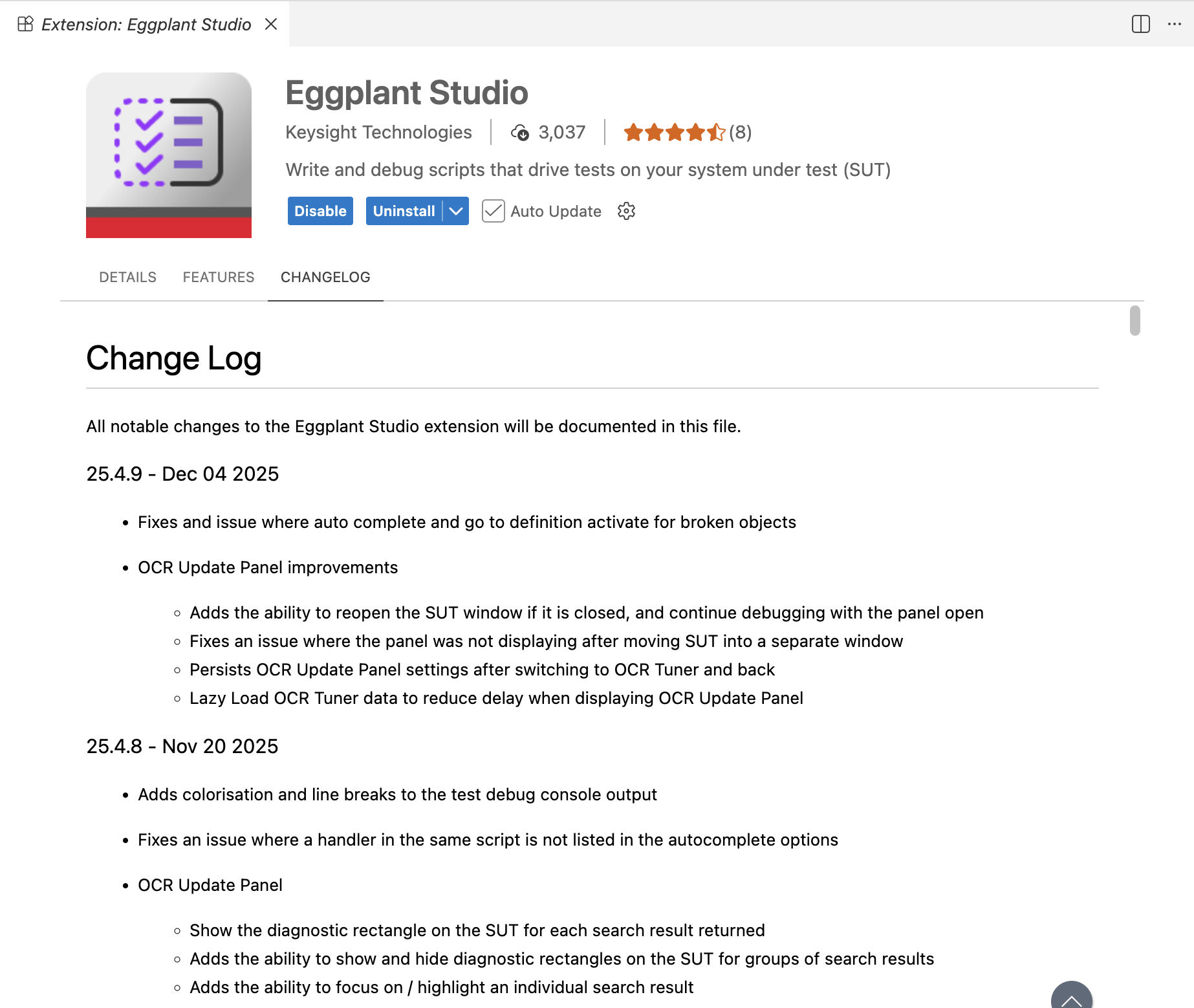
The Eggplant Studio extension page open in the VS Code Editor
Accessing the Eggplant Studio Change Log in VS Code Marketplace
You can see the Change Log in VS Code Marketplace by navigating to the Eggplant Studio extension page as follows:
- Open a web browser and navigate to the Eggplant Studio extension's Change Log:
https://marketplace.visualstudio.com/items/keysight-technologies.eggplantteststudio/changelog.