This wizard guides you through the process of recording yourself performing actions and interacting with the system under test. The goal is to generate a script from the recording which enables a virtual user to perform those same actions automatically during a test.
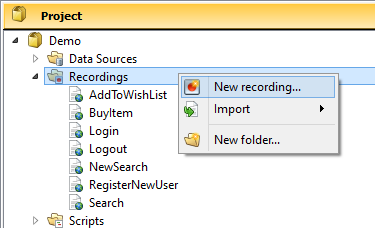
To launch the Create a New Recording wizard, in the Project tree, right-click the Recordings folder (or a folder within it), then click New Recording.
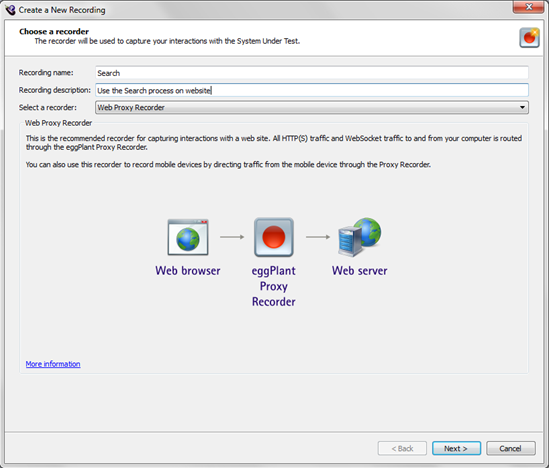
The Choose a recorder page of the Create a New Recording wizard appears.
 Eggplant.io | Documentation Home | User Forums | Support | Copyright © 2019 Eggplant