Eggplant Functional 26 Release Notes
The notes below provide descriptions of the new features and changes introduced with each release of Eggplant Functional (EPF). You are strongly encouraged to read about the relevant changes whenever you upgrade from an earlier version.
Compatibility
You can find the EPF-supported software, operating systems, and system recommendations on the Prerequisites page.
Notes
-
Eggplant Functional no longer supports the classic iOS and Android Gateways. We recommend moving to the Mobile Device connections in Eggplant Functional. See Connecting to Mobile Devices for more information.
-
Tables functionality will be removed in a future release.
-
As of EPF 25.1.3, release notes provided online will only cover the previous 3 years. Select an earlier version of the documentation to see earlier versions of the release notes.
The online documentation contains the latest information about Eggplant Functional releases. If you are viewing this documentation online, you are seeing the latest update. If you are using the documentation embedded in Eggplant Functional, please see the Release Notes in the online documentation at: https://docs.eggplantsoftware.com/studio/epf-v26-release-notes/
EPF 26.1.1 (February 2026)
In the coming releases of Eggplant Functional, the technology that enables connectivity to SUTs using the Remote Desktop Protocol (RDP) will be updated. This change is being made to provide the most secure, robust, and up-to-date RDP implementation possible for all your RDP SUT connectivity needs. The "New RDP" is designed to be functionally equivalent to the existing implementation and provides a seamless transition to the new RDP back-end.
In this release, the "New RDP" functionality can be enabled in the EPF preferences (via Preferences > Connection > Use New RDP Connection). We suggest that you enable the “New RDP” back-end to preview this new implementation. With the coming release of EPF 26.2.0 (April 2026), the "New RDP" checkbox will be selected by default, requiring users to opt out of the latest RDP implementation if they don’t want to use it.
In a future release of EPF (as soon as May 2026), the "New RDP" will be the only supported RDP back-end.
Please take some time to try the "New RDP" if you have not already ("New RDP" has been available as a selectable option in EPF for over a year), and provide any feedback you have by contacting Eggplant Support.
Have you tried Eggplant Studio? It's Keysight’s plugin for the open source VSCode editor that allows the creation, editing, and execution of SenseTalk in a modern and extensible editor.
Get started by visiting the Studio documentation or see Studio in the VSCVisual Studio Marketplace.
Enhancements
-
In the event that a
CompareScreenSenseTalk command finds differences between the image on the screen and the baseline image, a file showing the found screen and the baseline screen along with their highlighted differences will be created in the Results folder named “CompareScreenResult_####.png”. This image can be used to quickly visualize the difference between the found and baseline screens.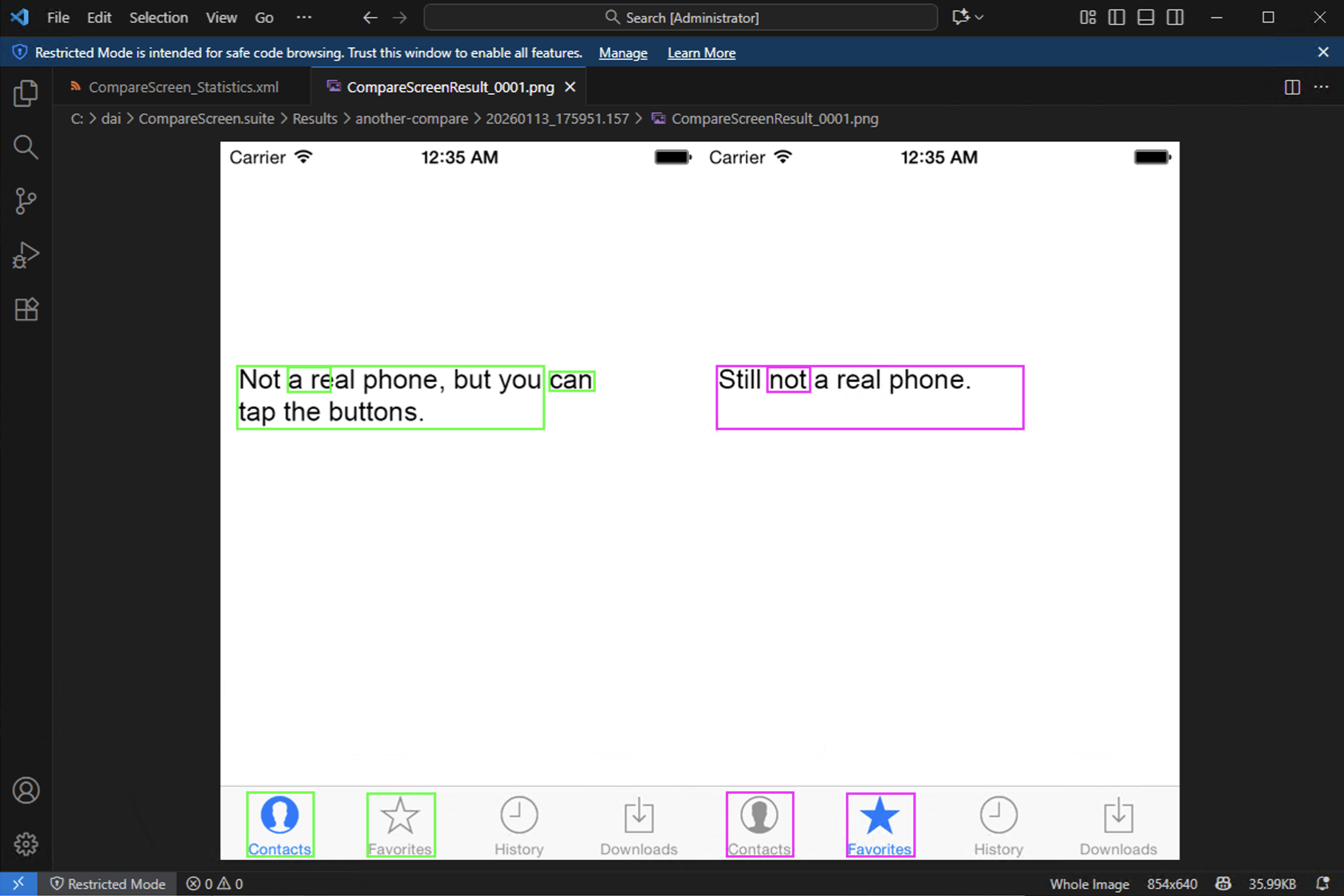
An example "CompareScreenResult_####.png" results image.
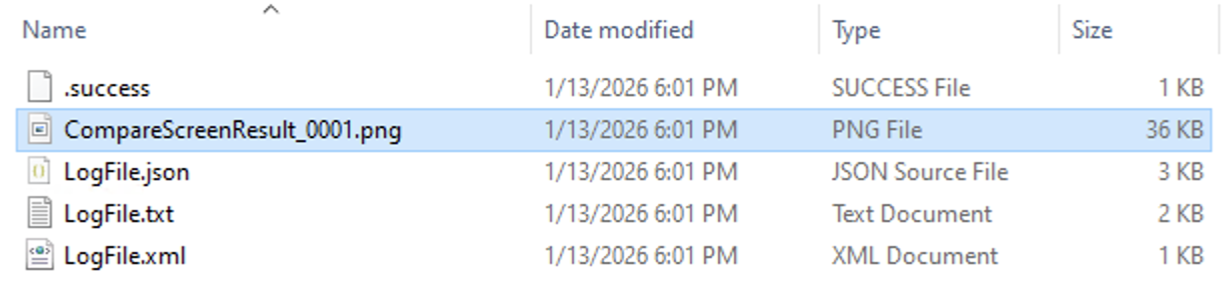
The save location of the "CompareScreenResult_####.png" image will be in the Results folder.
Defect Fixes
- Resolves an issue where API tests would fail with a "Validation Warning: Empty request body" error message. (CRD-1940)
- Resolves an issue where
compareScreenwouldn't save a screenshot to the Results folder if the baseline image was in a subfolder. (CRD-1804)
Sensetalk
Includes SenseTalk version 2.31.
SenseTalk Enhancements
This release adds support for international date and time formats. For a video overview of this new date and time functionality, see International Date and Time Formats.
-
Adds
the dateLocaleglobal property, which can be set to a locale identifier to select the language used for displaying month names and weekday names. This also affects the output of themonthNamesandweekdayNamesfunctions. The default setting ofthe dateLocaleis “en_US_POSIX”, which maintains backward compatibility with the previous behavior. This may also be set to “user locale” or “updating locale”, both of which will setthe dateLocaleto the user’s current locale setting. If “updating locale” is used,the dateLocalewill also be automatically updated later if the user changes their system locale setting. For more information, seethe dateLocaleGlobal Property. -
Adds the ability to include a locale identifier enclosed in curly braces at the beginning of any date/time format string to control the language used for month names and weekday names. When a locale identifier is not included in a format string, the language is controlled by
the dateLocaleglobal property. -
Adds an
availableLocaleIdentifiersfunction to provide a list of the identifiers for all available locales on the system. For more information, seeAvailableLocaleIdentifiersFunction. -
Adds a
userLocalefunction to return the identifier for the user’s current locale setting. This will return an updated current value if it is called again after the user changes the locale settings on their computer. For more information, seeUserLocaleFunction. -
Adds a
localeNamefunction that returns the user-friendly name for a given locale identifier. If called with no parameters, it returns the name for the user’s current locale setting. For more information, seeLocaleNameFunction. -
Adds
the dateFormatVarietyglobal property, which can be used to select between 4 format varieties (A, B, C, or D) for thedate,short date,simple date, andshort simple dateformats. These formats have all historically displayed dates using a US-centric “m/d” style. That style is maintained as variety “A” (which is the default setting for the dateFormatVariety). Variety “B” reverses these to use a “d/m” style in place of “m/d”. Varieties “C” and “D” are unambiguous formats that use the month name or abbreviation instead of the month number, with variety “C” showing the month before the day and variety “D” showing the day before the month. For more information, seethe dateFormatVarietyGlobal Property.Along with this change, the default setting of
the timeFormatglobal property no longer includes “date”, “shortDate”, “simpleDate”, or “shortSimpleDate” values. Instead, these are each replaced by 4 new properties for the 4 varieties. So for example in place of a “Date” property there are now “Date_A”, “Date_B”, “Date_C”, and “Date_D” properties whose values are the formats used for the 4 different date varieties.When the system is requested to format a date/time value using one of these affected formats, such as the
short date, it looks in thetimeFormatproperty list for that value (“ShortDate”). If there is no entry for that property name, SenseTalk will append an underscore along with the current setting ofthe dateFormatVariety. So, if thedateFormatVarietyis set to “B”, it will look inthe timeFormatfor an entry named “ShortDate_B” and use that format. For more information, seethe timeFormatGlobal Property. -
Adds
the dateInputVarietyglobal property, which can be set to "A", "B", or "None" to indicate which variety of date formats to use when interpreting a date string that uses an ambiguous format. When this is set to “A”, any formats fromthe timeFormatwhose keys end with “_B” will be excluded fromthe timeInputFormat, and when it is set to “B” any formats whose keys end with “_A” will be excluded. When it is set to “None”, both “_A” and “_B” formats are excluded fromthe timeInputFormat, thereby rejecting any ambiguous dates. For more information, seeThe dateInputVarietyGlobal Property.
SenseTalk Defect Fixes
-
Fixes a problem with automatic updating of
the timeInputFormatwhen changing thetimeFormat. The first timethe timeFormatwas changed it would updatethe timeInputFormatdynamically, but not on subsequent changes. -
Fixes a bug where dates that included diacritical marks in the month name were not recognized.
Eggplant Gateway
Includes EPGW version 26.1.3.
Eggplant Gateway Enhancements & Defect Fixes
For the latest information on EPGW, see the Release Notes in the Eggplant Gateway documentation.
Included OCR Version
The EPF 26.1.1 release includes the following OCR version:
- Mac and Windows OCR version:
12.4, which we recommend for best results with Eastern language recognition on Mac and Windows. For best results with Western language recognition, we recommend release 26.1.101. - Linux OCR version:
12.3, which provides best results for recognition of all languages on Red Hat, CentOS, and Ubuntu.
You can verify what version of OCR your EPF instance is running with using the following SenseTalk function:
ocrversion()
put ocrversion() --> 12.4
EPF 26.1.101 (February 2026)
The EPF 26.1.101 release is available for Mac and Windows only. It contains the same updates and bug fixes as the 26.1.1 release described above, except that it includes a different version of the Optical Character Recognition (OCR) component, which is the EPF component that reads text.
Included OCR Version
The EPF 26.1.101 release includes the following OCR version:
- Mac and Windows OCR version:
12.2, which we recommend for best results with Western language recognition on Mac and Windows. For best results with Eastern language recognition, we recommend release 26.1.1 as described above.
You can verify what version of OCR your EPF instance is running with using the following SenseTalk function:
ocrversion()
put ocrversion() --> 12.2
EPF 26.1.0.2 (January 2026)
The EPF 26.1.0.2 release contains the following updates and is available for all supported operating systems: Microsoft Windows, macOS, Red Hat Enterprise Linux (RHEL), and Ubuntu.
Defect Fixes
- Fixes an issue exclusive to EPF 26.1.0.1/26.1.100.1 that can cause the OCR Engine to misread text if
contrastis set to "on" andcontrastColoris not specified.
SenseTalk
Includes SenseTalk version 2.29.
Eggplant Gateway
Includes EPGW version epgw/25.4.10-0071.
Eggplant Gateway Enhancements & Defect Fixes
For the latest information on EPGW, see the Release Notes in the Eggplant Gateway documentation.
Included OCR Version
The EPF 26.1.0.2 release includes the following OCR version:
- Mac and Windows OCR version:
12.4, which we recommend for best results with Eastern language recognition on Mac and Windows. For best results with Western language recognition, we recommend release 26.1.100.2. - Linux OCR version:
12.3, which provides best results for recognition of all languages on Red Hat, CentOS, and Ubuntu.
You can verify what version of OCR your EPF instance is running with using the following SenseTalk function:
ocrversion()
put ocrversion() --> 12.4
EPF 26.1.100.2 (January 2026)
The EPF 26.1.100.2 release is available for Mac and Windows only. It contains the same updates and bug fixes as the 26.1.0.2 release described above, except that it includes a different version of the Optical Character Recognition (OCR) component, which is the EPF component that reads text.
Included OCR Version
The EPF 26.1.100.2 release includes the following OCR version:
- Mac and Windows OCR version:
12.2, which we recommend for best results with Western language recognition on Mac and Windows. For best results with Eastern language recognition, we recommend release 26.1.0.2 as described above.
You can verify what version of OCR your EPF instance is running with using the following SenseTalk function:
ocrversion()
put ocrversion() --> 12.2
EPF 26.1.0.1 (January 2026)
This version of Eggplant Functional (EPF) contains a change to the OCR Engine that increases the size of the installation executable. This has no detrimental effect on the functionality of EPF.
Previously the container images for EPF hosted on quay.io and the IronBank container image repository contained ubi8 in the image name. We are no longer updating the ubi8 container images. The latest container images drop the ubi8 and are named simply "fusion-engine", for example quay.io/eggplantsoftware/fusion-engine. For more information, see Deploying Eggplant Functional (Fusion Engine) in Containers.
Defect Fixes
- Resolves an issue when using two Helper Scripts that reference one another which could cause EPF to crash. Please keep in mind that doing this is not a best practice and may cause other issues, but it will no longer cause a crash. (CRD-1837)
- Removes extra % sign that appeared in “Text Not Found” error dialog when the searched string contained a "%". (CRD-1931)
SenseTalk
Includes SenseTalk version 2.29.
Eggplant Gateway
Includes EPGW version epgw/25.4.10-0071.
Eggplant Gateway Enhancements & Defect Fixes
For the latest information on EPGW, see the Release Notes in the Eggplant Gateway documentation.
Included OCR Version
The EPF 26.1.0.1 release includes the following OCR version:
- Mac and Windows OCR version:
12.4, which we recommend for best results with Eastern language recognition on Mac and Windows. For best results with Western language recognition, we recommend release 26.1.100.1. - Linux OCR version:
12.3, which provides best results for recognition of all languages on Red Hat, CentOS, and Ubuntu.
You can verify what version of OCR your EPF instance is running with using the following SenseTalk function:
ocrversion()
put ocrversion() --> 12.4
EPF 26.1.100.1 (January 2026)
The EPF 26.1.100.1 release is available for Mac and Windows only. It contains the same updates and bug fixes as the 26.1.0.1 release described above, except that it includes a different version of the Optical Character Recognition (OCR) component, which is the EPF component that reads text.
Included OCR Version
The EPF 26.1.100.1 release includes the following OCR version:
- Mac and Windows OCR version:
12.2, which we recommend for best results with Western language recognition on Mac and Windows. For best results with Eastern language recognition, we recommend release 26.1.0.1 as described above.
You can verify what version of OCR your EPF instance is running with using the following SenseTalk function:
ocrversion()
put ocrversion() --> 12.2