Installing the Root Certificate on Mobile Devices
Exporting the Root Certificate
When you select Record mobile or other external device in the Create a New Recording wizard as the Application type to launch and then click Next, you'll see the Record mobile or other external device page.
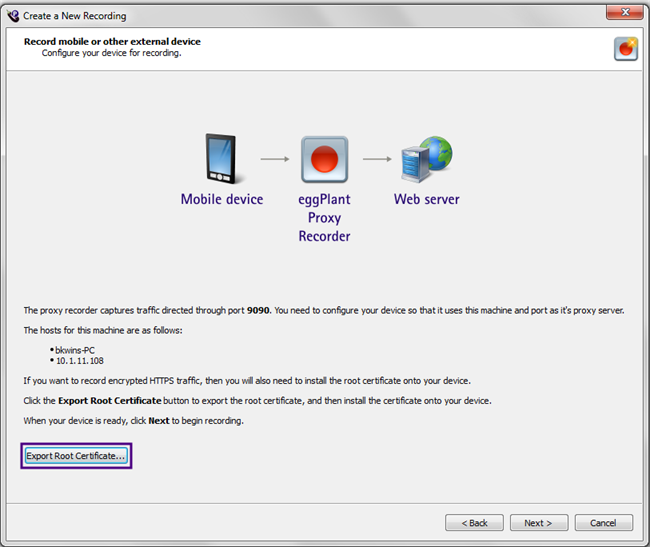
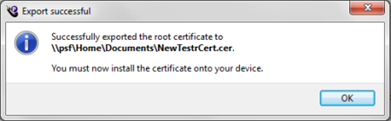
Click Export Root Certificate to export the root certificate. You'll be prompted to name and save the file. After the certificate is created, you'll see a confirmation message that reminds you it still needs to be installed onto your device:
Installing the Root Certificate on a Device
The procedure for installing a certificate will differ from device to device; please check the user guide for your specific device. However, the steps should be similar whether you're installing on Android or iOS.
You have two methods for getting the exported certificate onto the device:
- Email the certificate file to an account that you can retrieve on the test device.
- Tether the device by USB or other cable to the PC onto which you exported the certificate and manually move the file onto the device via Windows Explorer.
When the certificate file is on the device, attempting to open or access the file typically causes the device OS to recognize it as a certificate, at which point the device prompts you to install the certificate.
On Android devices, if you move the file manually via USB tether, you can go to Lock screen and security > Other security settings > Install from device storage, then navigate to the certificate file to install it. (On older Android devices, the path might be Settings > Security & Screen Lock > Install from storage.)
To move the file manually via USB tether on iOS devices, you might need to install the Apple Configurator utility or another third-party certificate management utility. Be sure to consult your device documentation before installing certificates on any external devices.
When you have successfully installed the root certificate on the device, you can return to the Create a New Recording wizard.
 Eggplant.io | Documentation Home | User Forums | Support | Copyright © 2019 Eggplant