Advanced Scripting
This topic provides some detail about more advanced scripting, which may or may not apply to your scripts.
Apply these scripts with caution. Contact Eggplant Customer Support if you have any questions.
Initialise and finalise blocks
The initilise and finalise code blocks enable you to perform actions (by running code) before a user journey run begins, or after it finishes as described below:
-
initialise code blocks: When you need to perform actions before the initial URL is loaded and a user journey begins, you can put the code you need to perform those actions in an initialise code block. A common use case, for example, is to set permanent, custom HTTP headers, which need to be set for all steps, including Step 1. Initialise code blocks enable you to run code before an initial URL loads as shown in the sample screen below.
-
finalise code blocks: Similarly, when you need to perform actions after a user journey run finishes, you can put the code you need to perform those actions in a finalise code block. Finalise code blocks enable you to run code after a user journey completes, regardless of whether the journey succeeds or fails, or what step it finished at. A common use case for finalise is to read the run state (such as
finalStepNumberandoverallResultCode) and update or reset custom values for the next run. The example screen below also shows a finalise code block. Note that you can only perform certain operations in this block. You cannot, for example, change the result code of a run that has already finished.
You will often use methods defined in the Current State of the Run in the finalise block to determine which step or condition the user journey finished at. For example, you may only want to update the custom string if the user journey finished with a specific failure.
For information about all the supported methods and functions, see the Script Editing Reference.
The initialise and finalise blocks are available only if they have been set up in the script. Contact Eggplant Customer Support for details.
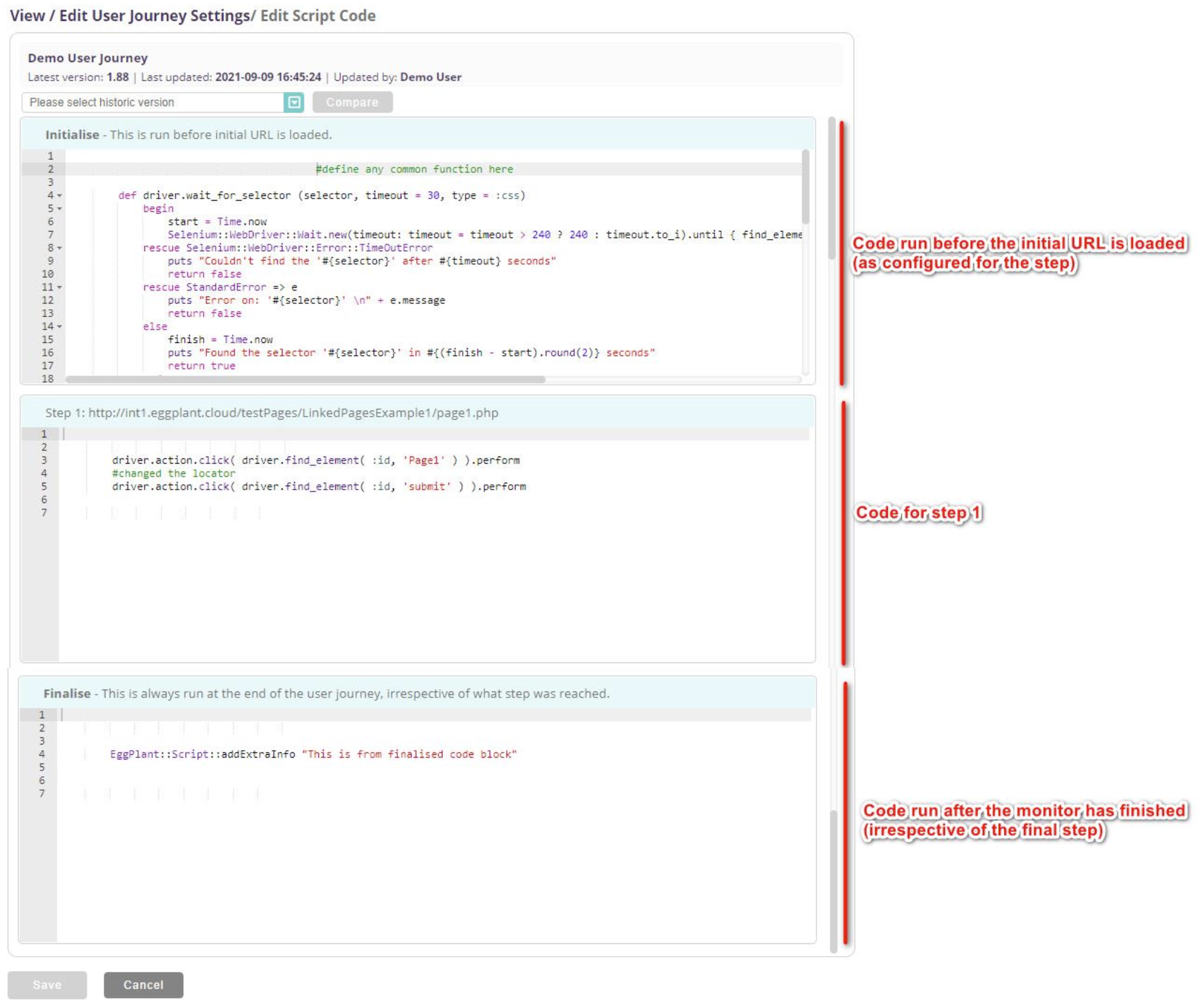 The User Journey Edit Script Code editor showing examples of Initialise and Finalise code blocks
Scope
Code you define earlier in the script is in scope for subsequent step code blocks. Common patterns include:
- Declare helper functions in the initialise code block (or step 1) and call them in later steps.
- Declare variables with
@scope if they must persist across steps; otherwise, you may see result code 103 (script error).
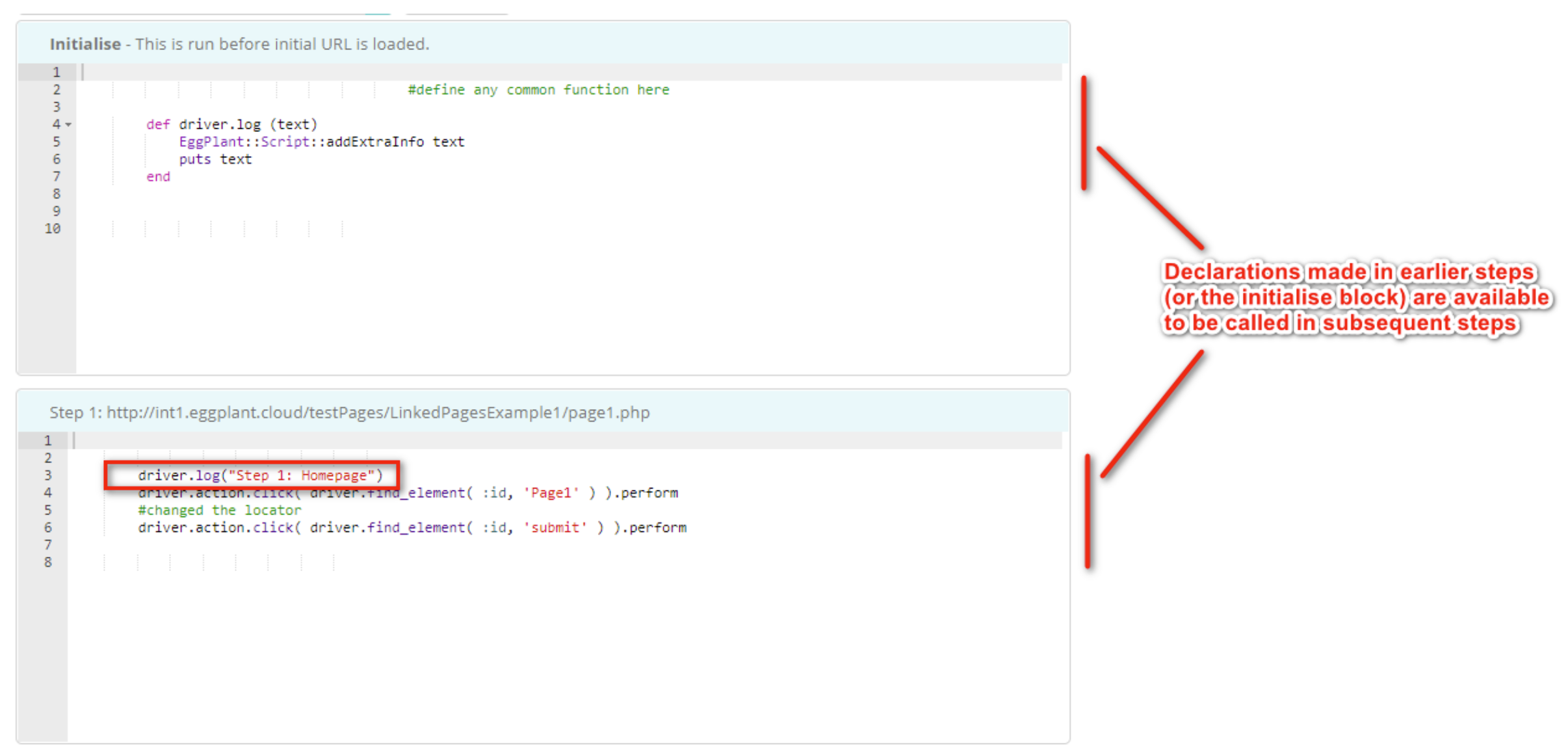 Examples of the initialise and Step 1 code blocks in the Edit Script Code editor
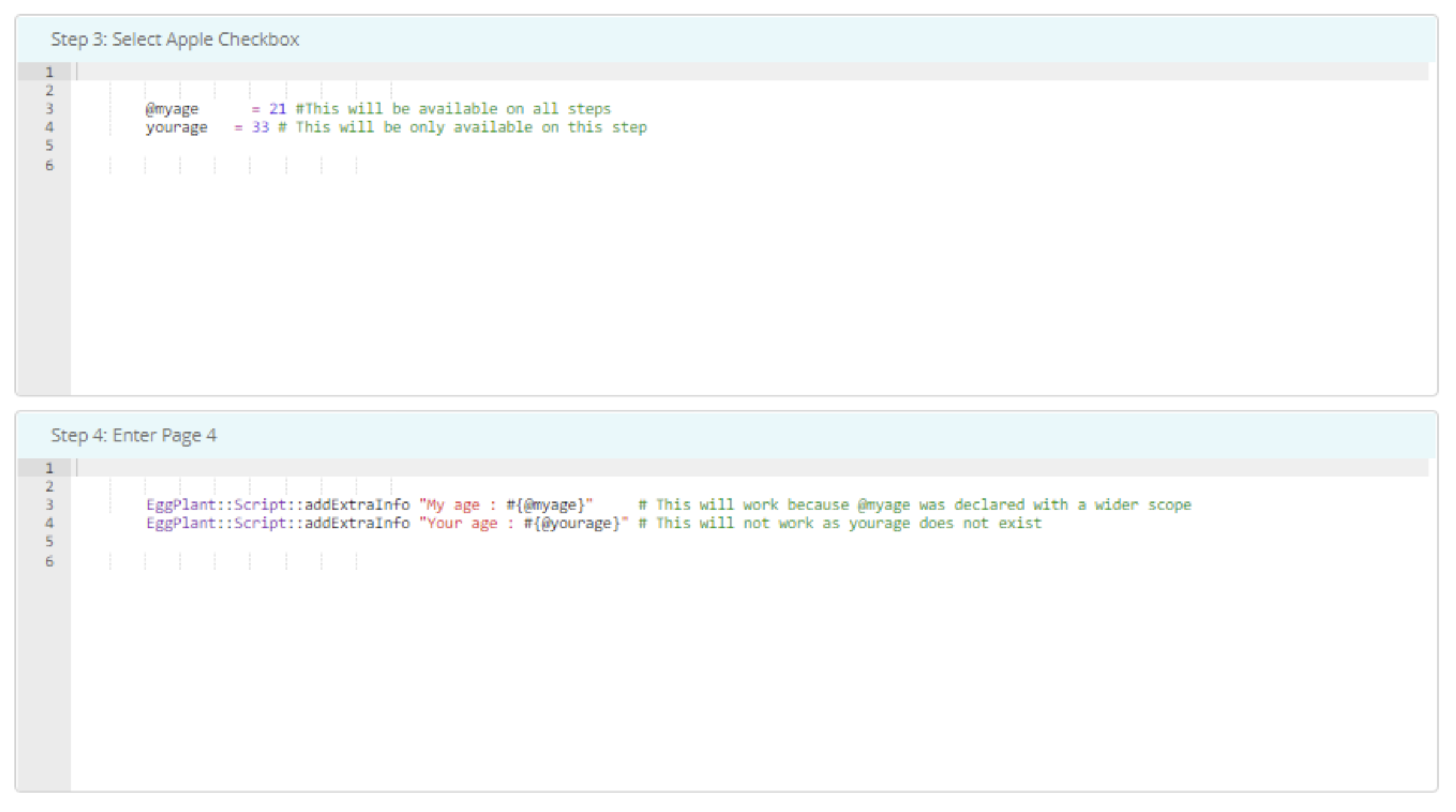 Declaring functions and variable scope in step code blocks in user journey scripts