Connecting Eggplant Test to Test Systems
You can use Eggplant Test applications to test a wide variety of systems, which we refer to as systems under test or SUTs. The types of SUTs we can connect to range from traditional applications on a desktop or mobile device, to point-of-sale systems (POSs) in a retail shop or restaurant, video game consoles, and even human machine interfaces (HMIs), such as the in-vehicle infotainment (IVI) systems in a car. To connect to such a wide variety of systems, we provide several connection types. See the Table of Eggplant Test Supported Connection Types for all of our supported connection types and which applications support them.
This guide describes the information you need to establish the various types of SUT connections supported by Eggplant, as well as how to secure your connections, and configure them so that your tests run faster. It provides the information you need all in one place regardless of which Eggplant Test product you are using: Eggplant DAI, Eggplant Studio, or Eggplant Functional (EPF)/Fusion Engine.
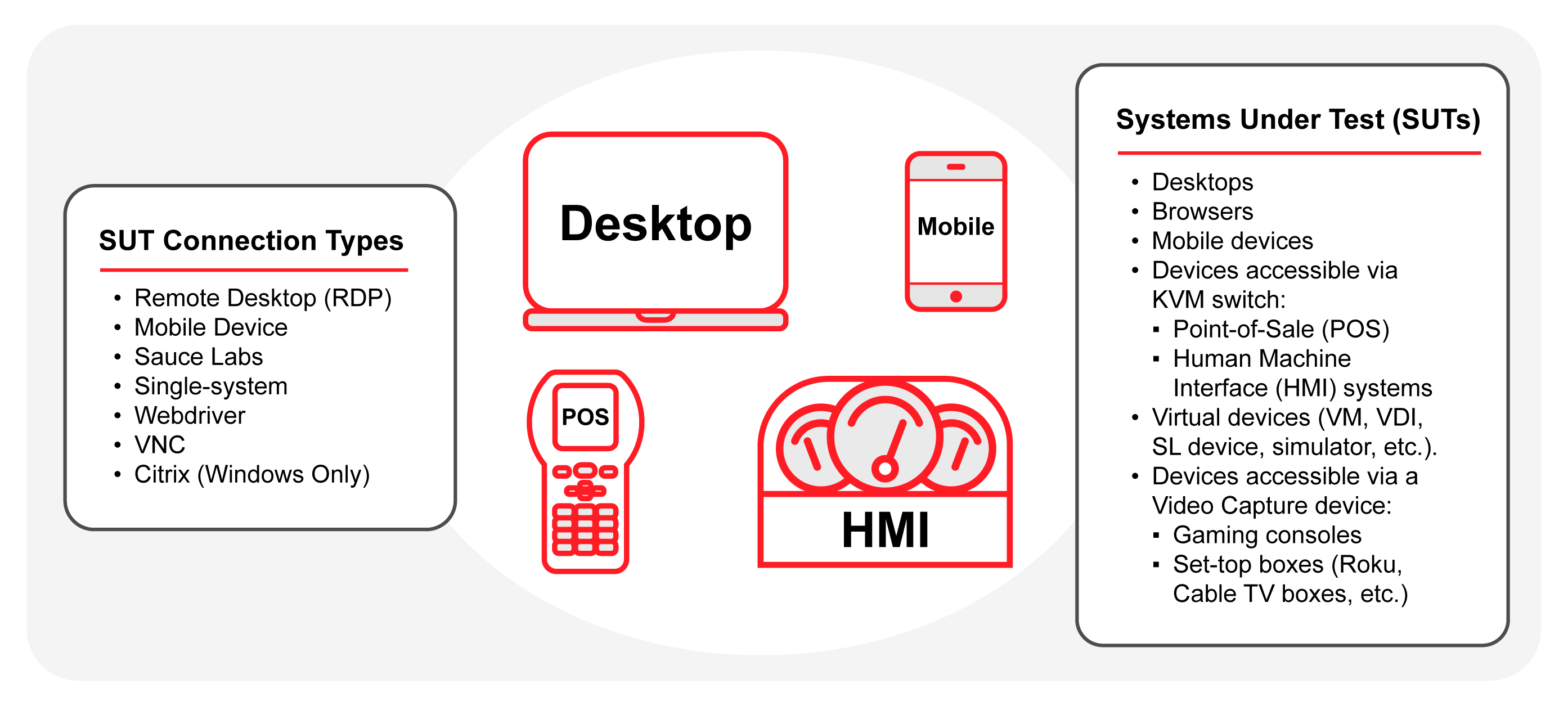
The wide variety of systems under test (SUTs) supported by Eggplant Test
Multiple Connections and the Active SUT
Within any Eggplant Test product, you can have multiple SUTs connected at any given time. However, you can have only one active SUT. The active SUT is the SUT that the Eggplant product is currently focused on, and to which any commands are sent either manually or from a script.
Table of Eggplant Test Supported SUT Connection Types
The following table lists all the SUT connection types that Eggplant applications support, and which applications support those connection types.
| Connection Type | SUT Type | Eggplant Functional (EPF) | DAI | Eggplant Studio |
|---|---|---|---|---|
| Remote Desktop Protocol (RDP) | Desktop | ✅ | ✅ | ✅ |
| VNC | Desktop, mobile device, mobile webdriver | ✅ | ✅ | ✅ |
| webdriver | Desktop browser | ✅ | ✅ | ✅ |
| Mobile Device: Android | - Real and emulated Android mobile devices - Mobile webdriver connections | ✅ | ✅ | ✅ |
| Mobile Device: iOS | - Real and simulated iOS devices - Mobile webdriver connections | ✅ | ✅ | ✅ |
| Single System: Windows | A picture-in-picture child session in the Windows system where you are running Eggplant Note: The Single-System connection type within the Eggplant applications is only available on Windows | ✅ | ✅ | ✅ |
| Single System: Mac | On a Mac, you can configure connections to the same Mac as a SUT using a different user account and a VNC type connection in your Eggplant product Note: This is an alternative to the Single-System connection type built into the Eggplant applications, which is only available on Windows | ✅ | ❌ | ❌ |
| Citrix (Eggplant Products on Windows only) | Citrix desktops and applications | ✅ | ✅ | ✅ |
| Sauce Labs | Browser | ✅ | ✅ | ✅ |
| Sauce Labs | mobile device | ✅ | ✅ | ✅ |
| Video capture boxes | Video gaming consoles, set-top boxes, cable TV boxes | ✅ | ✅ | ✅ |
| KVM-switch | Point-of-sale (POS) systems, in-vehicle infotainment (IVI) systems | ✅ | ✅ | ✅ |
| Screenshot SUT | Connects to an image file | ✅ | ❌ | ✅ |
| Tutorial/Demo SUT | Connects to a sample SUT available in Eggplant applications | ✅ | ✅ | ✅ |
Not all connection types are supported in all Eggplant applications, as indicated in the table above.