Understanding Connection Architecture
Eggplant Test applications were originally designed to run in a two-system model, which consisted of the machine running the Eggplant product and the system under test (SUT), which was typically a desktop system or mobile device.
Since that original design, Eggplant expanded its capabilities to support other test configurations, such as testing a single-system model where the system where you run your Eggplant Test product can also be your SUT, and configurations where you use a device such as a KVM-over-IP device or video capture device to automate things like point-of-sales (POS) systems or video game consoles.
Descriptions of the different Eggplant supported architectures follow.
The Two-System Test Model
Eggplant Test applications are commonly used to test desktop, virtual, and mobile systems under test (SUTs) using the original two-system model with the Eggplant Test product running on one system and the SUT on another system.
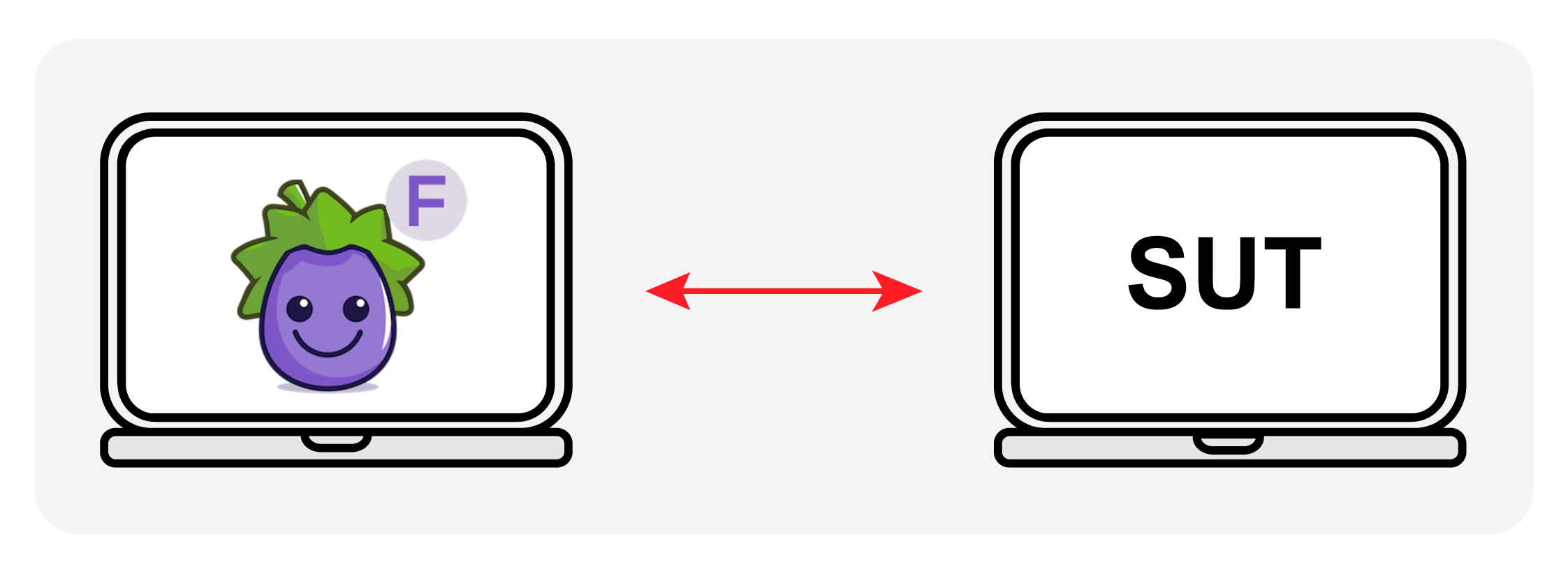
Diagram of the Two-System Test Model where the Eggplant Test product and the system under test (SUT) run on different systems
The Single-System Test Model
In addition to the traditional two-system model, Eggplant Test applications also support a single-system solution, which enables you to use one machine to both run the Eggplant Test application, and connect to it as SUT at the same time.
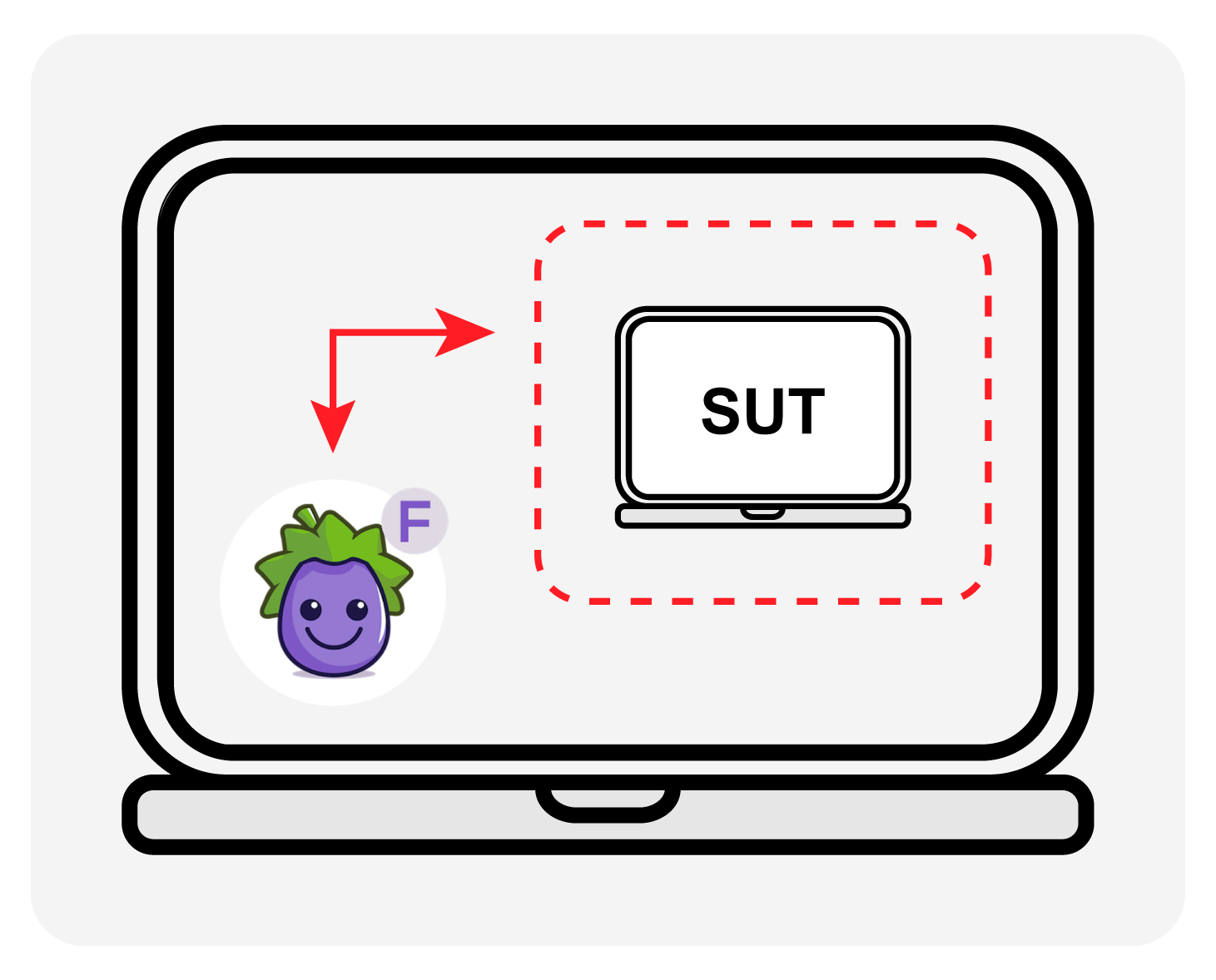
Diagram of the Single-System Test Model where the Eggplant Test application and the system under test (SUT) are the same system
Other Test Configurations
Eggplant Test applications can also automate a variety of other devices, with different connection methods. For example, you can test a hand-held point of sale (POS) system, or human machine interface (HMI) system in a car, by including a KVM switch in your test environment. You can also test a video game console by including a video capture device between the Eggplant Test product. See Other Types of SUTs for more information about testing with other configurations.
Example: Using a KVM Switch
This example shows a configuration in which a KVM Switch enables Eggplant Functional to test a broad range of devices, such as a POS system or HMI system (such as in a car):
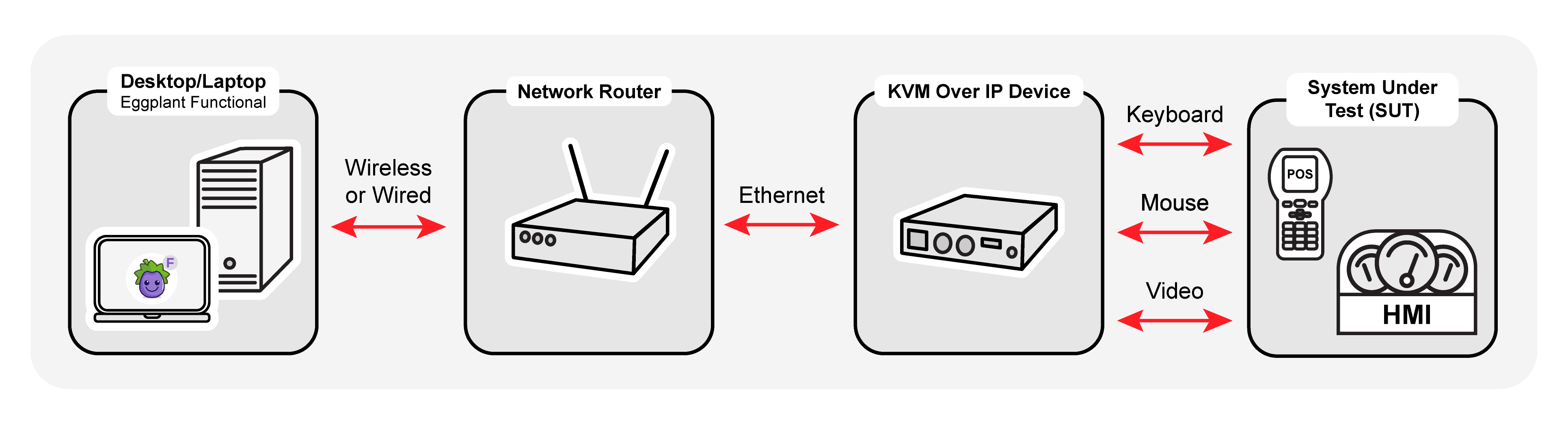
A KVM Switch configuration enables Eggplant to test a broad range of devices, such as a POS system or HMI system (such as in a car)
Example: Using a Video Capture Device
This example shows a configuration that uses Eggplant Functional to test using a video capture device.
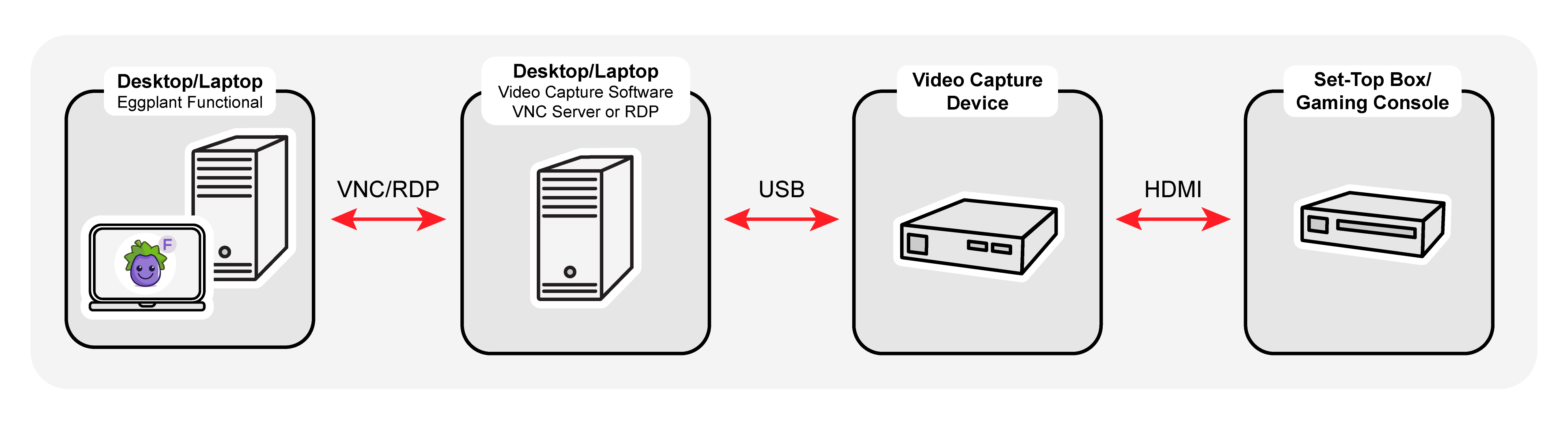
A video capture device configuration enables Eggplant to test consoles such as set top boxes or gaming devices