About DAI Spaces
DAI enables you to separate related test assets into grouped contexts known as spaces. The DAI provides a Shared space in each DAI instance, where you can put assets that are available to all users and other spaces. It also provides the option to create private, user-defined spaces, where you can put assets that are only accessible to members of the space. Spaces make it easier to manage specific test assets amidst what could potentially be hundreds of uncategorized and unrestricted assets. Before DAI implemented spaces, you had to work around this issue by running different instances of DAI according to specific subsets of users.
Below is information about the DAI-provided Shared space, as well as what DAI resources belong to a space and what resources are available all across DAI.
For information about creating spaces, see Add a New Space. For information about managing spaces, see Manage a Space.
Shared Space
By default, there is always a global space created in each DAI instance. This space is known as a shared space, and it has the following characteristics:
- It always exists and cannot be deleted.
- The assets created in it are accessible to all users and other spaces.
- It is a great place for users to store shared resources such as helper suites, common sub-models, and so on, without adding any complicated resource sharing requirements.
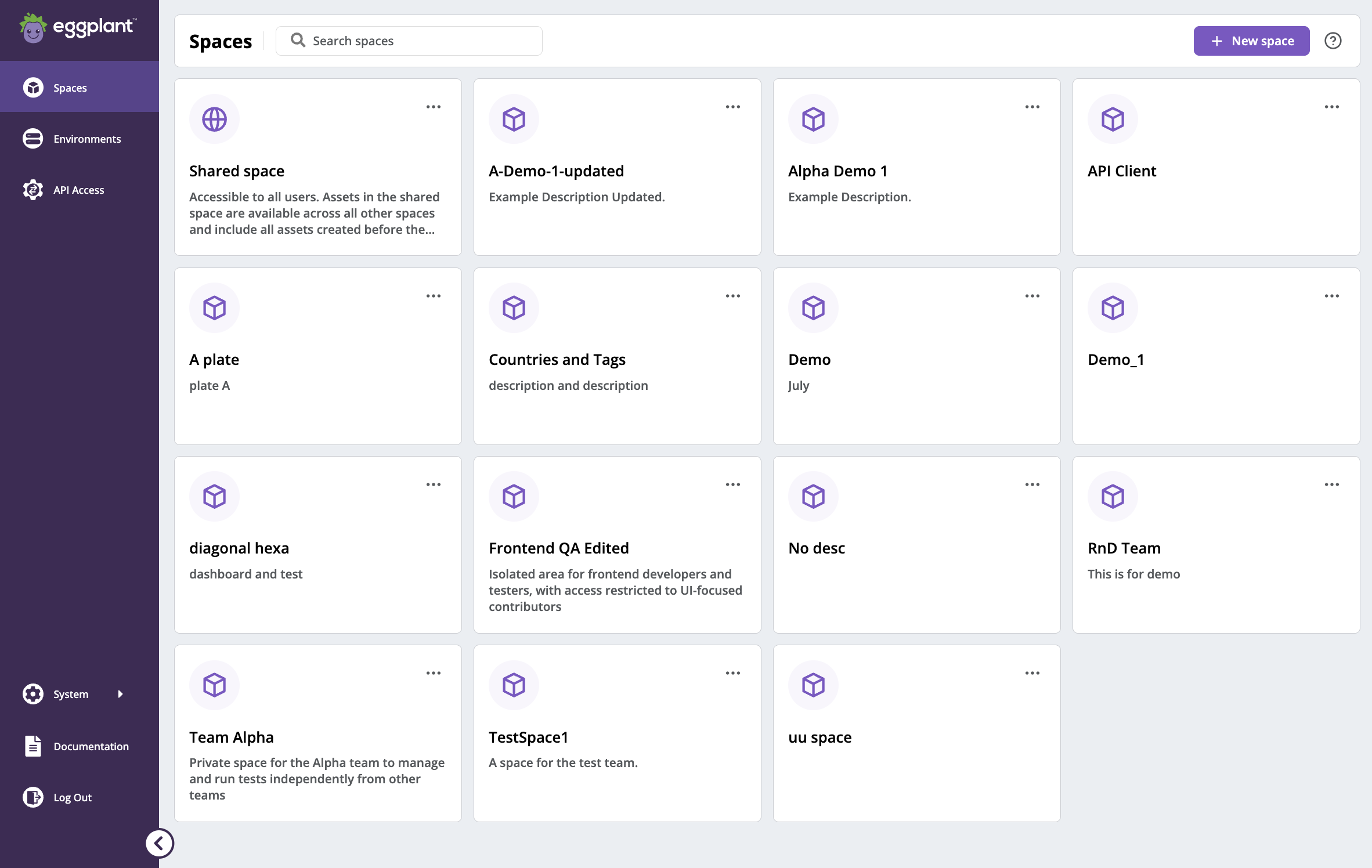
The DAI Spaces page, showing the Shared space common to all DAI instances and private spaces created by individual users
Resource Management in Spaces
The following table shows what DAI resources belong to a space, which means their access is restricted to members of that space, and what DAI resources are available all across DAI.
| Space Resources vs DAI Resources | Access | Resource |
|---|---|---|
| Spaces | Restricted to members of the space only | - Models - Suites - Git connections - SUTs - Execution environments - Test results - Test cases - Test configs - Requirement groups - Custom scripts - API access clients - Webhooks - Settings (for example, settings for enabling or disabling email or webhook notifications, or deleting test results older than a specified number days) |
| DAI (not part of the space) | All across DAI | - Licenses - Users - Groups - SMTP settings - Some existing settings that make most sense as a global setting (for example, “Allow diagnostics and usage data collection”) |