Exporting Scripts
The Script Export feature allows you to download a selected User Journey or Web Service script as a .txt file.
You can export scripts using either of the following methods:
- Method 1: Export from the User Journey / Web Service page
- Method 2: Export form the Edit Script Code page
Method 1: Export from the User Journey / Web Service Page
-
Navigate to:
Settings > Monitor Settings > User Journey / Web Service
-
Select the User Journey or Web Service you want to export.
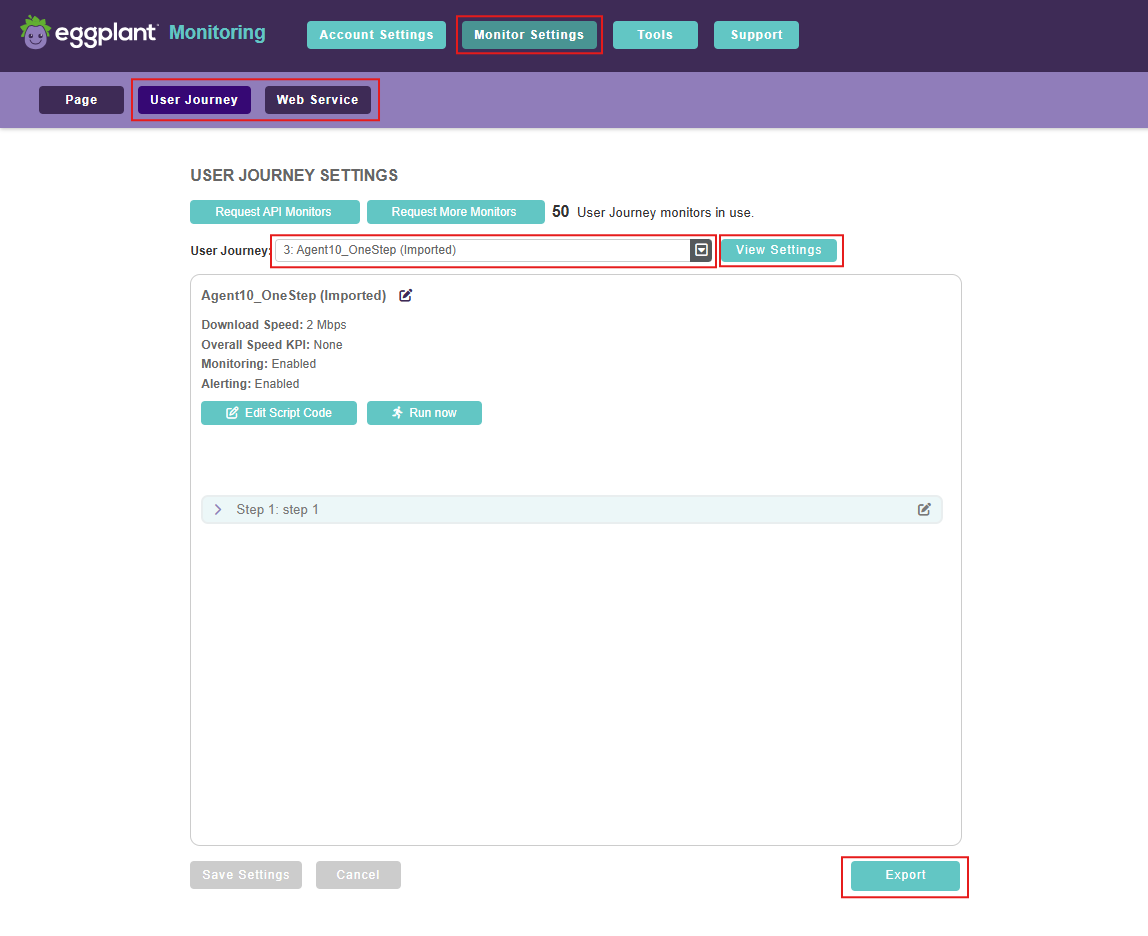
The script Export button on the User Journey / Web Service page
-
Click View Settings.
-
Click Export at the bottom of the page to download the script as a
.txtfile.
Method 2: Export from the Edit Script Code Page
-
Navigate to:
Settings > Monitor Settings > User Journey / Web Service
-
Select the desired User Journey or Web Service.
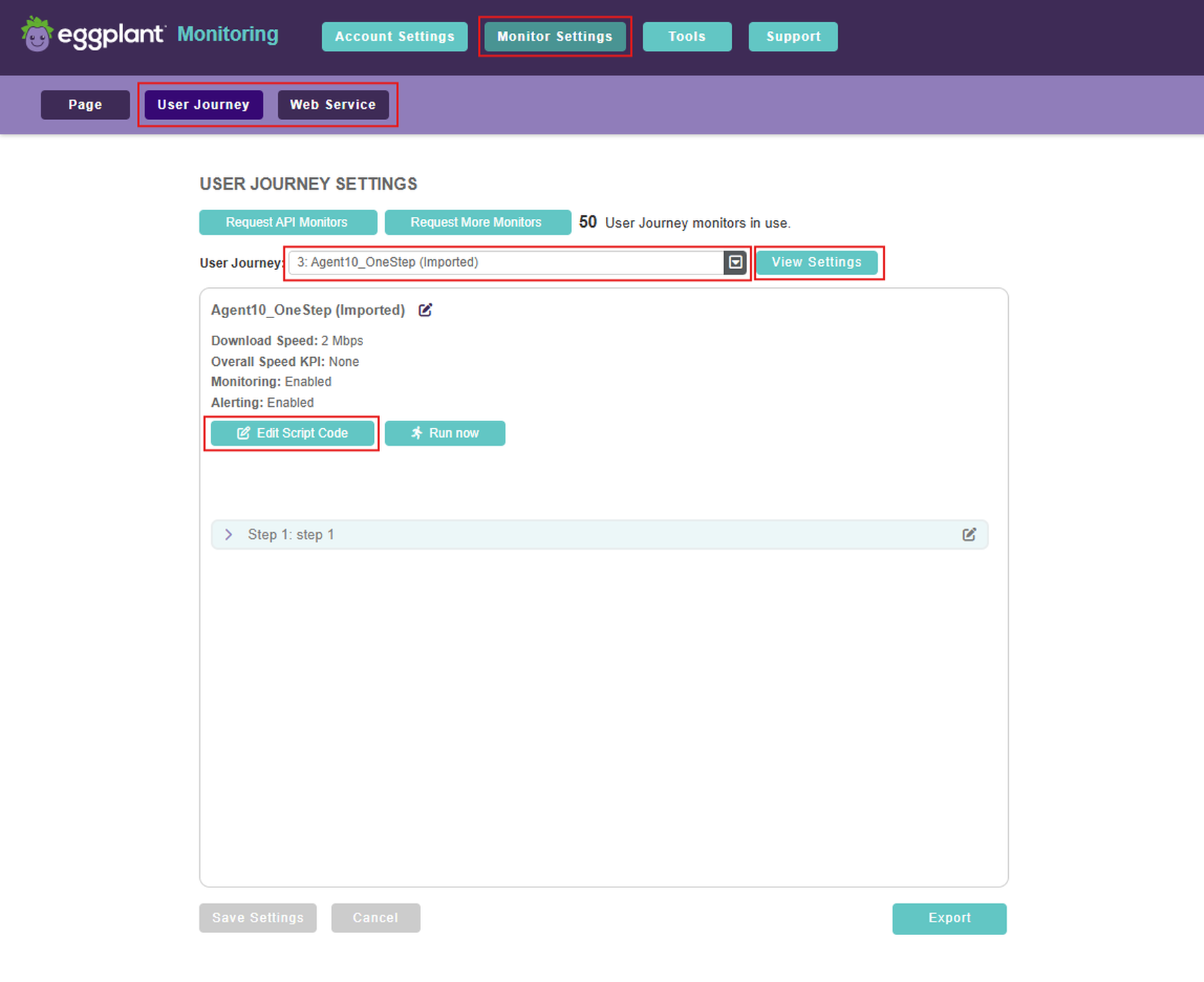
The User Journey / Web Service page where you can select a user journey script to edit and then export it from the Edit script Code page (shown below)
-
Click View Settings.
-
Click Edit Script Code.
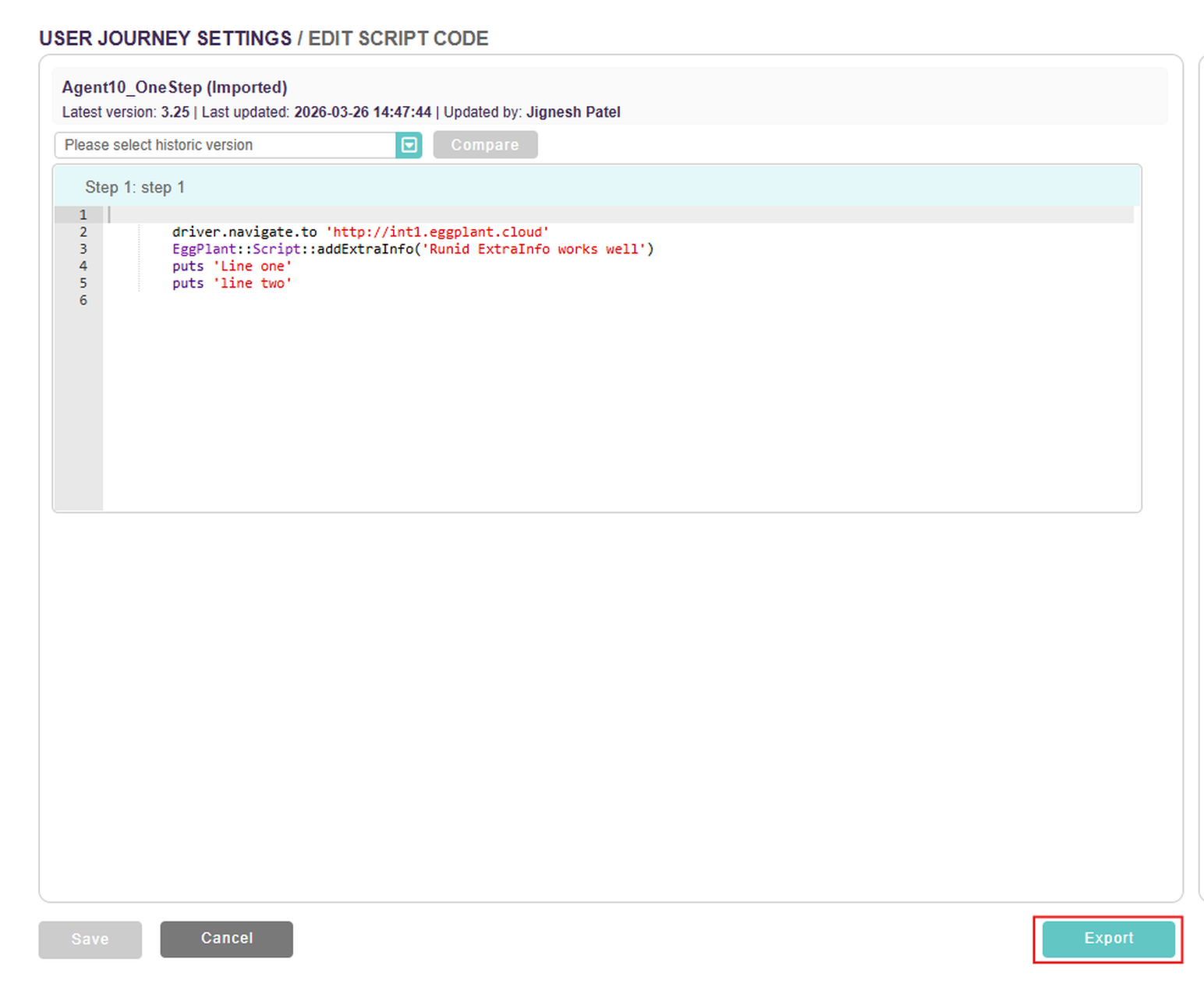
The script Export button on the Edit Script Code page
-
On the Edit Script Code page, click Export at the bottom of the page to download the script as a
.txtfile.
Result
- The script is downloaded as a plain text (
.txt) file. - The exported file contains the full script content exactly as configured at the time of export.